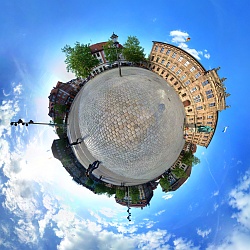
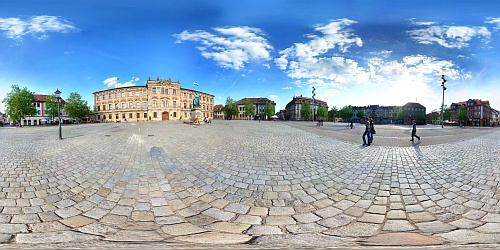
When loading the equirectangular image with SPi-V, it crashes when the images exceedes a certain pixel size. You can try for yourself if you can reproduce this behaviour on your computer by clicking on the filesizes in the test-matrix below.
The size of the original panoramic image file (17.7 MB) is 10440 x 5220 pixel. This image has been resized in numerous ways using two different programs and two different JPG quality settings for each program (LQ and HQ). All files have been saved as progressive JPG.
Update:
The problem could be tracked down thanks to this posting
in the Spi-V Forum. The answer is: Progressive JPG is not supported due to limitations of Shockwave.
The fact that progressive JPGs did show up at all was surprising. With linear mode JPGs the problem
won't occur.
| LQ | HQ | Name of option | |
| Irfanview 4.00 | 80 | 95 | quality |
| PaintShop Pro 8.0 | 20 | 5 | compression factor |
Notice that Irfanview seems to have a bug when resizing large images: It sometimes inserts a column of black pixels on the right border of the image. This can be seen on the 2000 x 1000, 5000 x 2500 and 8000 x 4000 images. I have noticed earlier that this behaviour might also be depending on the aspect ratio of the image.
| Image size | Irfanview 4.00 | PaintShop Pro 8.0 | ||
| LQ | HQ | LQ | HQ | |
| 2000 x 1000 | 0.4 MB | 0.8 MB | 0.4 MB | 0.9 MB |
| 3000 x 1500 | 0.9 MB | 1.8 MB | 0.9 MB | 2.0 MB |
| 4000 x 2000 | 1.5 MB | 3.2 MB | 1.6 MB | 3.4 MB |
| 5000 x 2500 | 2.3 MB | 4.8 MB | 2.4 MB | 5.1 MB |
| 6000 x 3000 | 3.3 MB | 6.6 MB | 3.3 MB | 7.1 MB |
| 8000 x 4000 | 5.4 MB | 10.8 MB | 5.4 MB | 11.6 MB |
Clicking on the filesizes will open a .html file with an embedded SPi-V viewer.
| Opens normally in browser and SPi-V.exe |
| Results in crash of browser or SPi-V.exe |
| Computer | OS | CPU | RAM | Video RAM |
| Desktop PC | Win 2000 | AMD Athlon XP 1400 GHz | 1.75 GB | 128 MB |
| Laptop | Win XP | Intel Celeron 1.13 GHz | 0.5 GB | 32 MB shared |
4000 x 2000 image (HQ, PSPro) with ptviewer2.jar
The image used in the above link is just a little over the size which works with my browsers. Only the Internet
Explorer on the Desktop PC could display that image. With Firefox or Opera this image leads to a white display
after loading. Only lower resolutions will work. Running the .jar file in standalone mode outside a browser
works only up to 4000 x 2000 pixels for me. My laptop even only displays the file up to 3000 x 1500 pixels
before producing a white screen.
When exceeding an image size of approx. 4200 x 2100 pixel the images will make SPi-V crash - on two different computers.
There does not seem to be a great difference between embedding SPi-V in a browser or using the standalone application
SPi-V.exe. The image size limit before the program crash occurs seems to be about 5% bigger with SPi-V.exe.
Interestingly ptviewer2.jar could not display images larger than 4000 x 2000 pixel either (and behaves much slower anyways).
While playing around, I found out that the exact boundary of 4200 x 2100 pixel might vary a little bit in dependence of
the software I used for resizing the image and the quality settings of the JPG compression.
